mufem: fast and accurate simulations
mufem (pronounced /ˈmjuːfɛm/) is an API-first finite-element simulation code for electromagnetics, photonics, and plasmas, and their coupled multi-physics problems, built for industry-relevant engineering applications.
mufem is driven through a Python interface, making it ideal for exploratory work, parametric studies and design optimization, and a natural fit for agentic workflows.
For questions or support, please open an issue or contact us at info@raiden-numerics.com.
Contents: Introduction · Gallery · Models · Getting Started · Validations · Tested Platforms
Introduction
This repository hosts a quick introduction to mufem together with a collection of validation and example cases. For platform-specific setup see the Installation guide, and for tutorials and the full API reference see the mufem documentation.

Why mufem
 Python-native Python-nativebuild, run, and post-process simulations from a clean Python API; ideal for parametric sweeps, optimization, and agentic workflows. |
 Multi-physics Multi-physicsmodel electromagnetic, thermal, and structural phenomena and their interactions, all within a single framework. |
 Advanced discretization Advanced discretizationbuilt on MFEM for high-order finite elements on curved, unstructured, non-conformal, and Cartesian meshes. |
 GPU-accelerated GPU-acceleratedparallel CPU and GPU solvers that scale efficiently from a single laptop to a large cluster. |
 Validated Validatedcontinuously tested against established benchmark suites and published experimental, analytical, and reference results. |
 Free Freethe community version is free for academic and commercial use, with no license fees, covering most workflows on a single workstation. See pricing for paid tiers. |
Licensing
The Community version of mufem is free for academic and commercial use. It needs no license key, includes most physics models, and uses all the cores of your workstation, so you can run real projects and client work without paying anything.
When your models outgrow a single machine, a paid license lets mufem grow with them:
- Bigger models, faster answers: spread a simulation across a compute cluster or run it on GPUs, for much shorter run times, making large parametric studies practical.
- Specialized physics models for advanced applications that go beyond the Community version.
- Direct support from the developers by email, instead of community support via GitHub Issues.
- Enterprise options: multi-seat and on-premises licensing, integration and validation services.
See mufem.raiden-numerics.com for plans and pricing.
Quick Example
Solve the electrostatic field inside a cube held at 1 V across two faces. The simulation reads a mesh
whose tagged attributes (a Cube volume and its Anode/Cathode boundary faces) are referenced by
markers ("Cube" @ Vol, "Anode" @ Bnd, …). The script and its mesh are in
QuickExample; run it there with
python charged_cube.py:
import mufem
import mufem.electromagnetics.electrostatics as estat
from mufem import Vol, Bnd

sim = mufem.Simulation.New(name="Charged Cube", mesh_path="cube.msh")
sim.set_runner(mufem.SteadyRunner(total_iterations=1))

# Electrostatics model, with air filling the tagged "Cube" volume
model = estat.ElectrostaticsModel(order=2)
sim.get_model_manager().add_model(model)
model.add_material(estat.ElectrostaticMaterial(name="Air", marker="Cube" @ Vol))

# Apply 1 V across the cube: anode at 1 V, cathode grounded
model.add_conditions(
    [
        estat.ElectricPotentialCondition(
            name="Anode", marker="Anode" @ Bnd, electric_potential=1.0
        ),
        estat.ElectricPotentialCondition(
            name="Cathode", marker="Cathode" @ Bnd, electric_potential=0.0
        ),
    ]
)

# Report the stored electric energy
report = mufem.VolumeIntegralReport(name="Energy", cff_name="Electric Energy Density")
sim.get_report_manager().add_report(report)

sim.run()
print("Electric energy:", report.evaluate(), "J")

# Export the fields for visualization (ParaView / VTK)
field_exporter = sim.get_field_exporter()
field_exporter.set_output_directory("ChargedCubeOutput")
field_exporter.add_field_output("Electric Potential")
field_exporter.add_field_output("Electric Field")
field_exporter.save()
It prints the energy of the uniform field between the plates, $\varepsilon_0 V^2 d / 2 \approx 4.43 \times 10^{-13}$ J
for the 10 cm cube.
Gallery
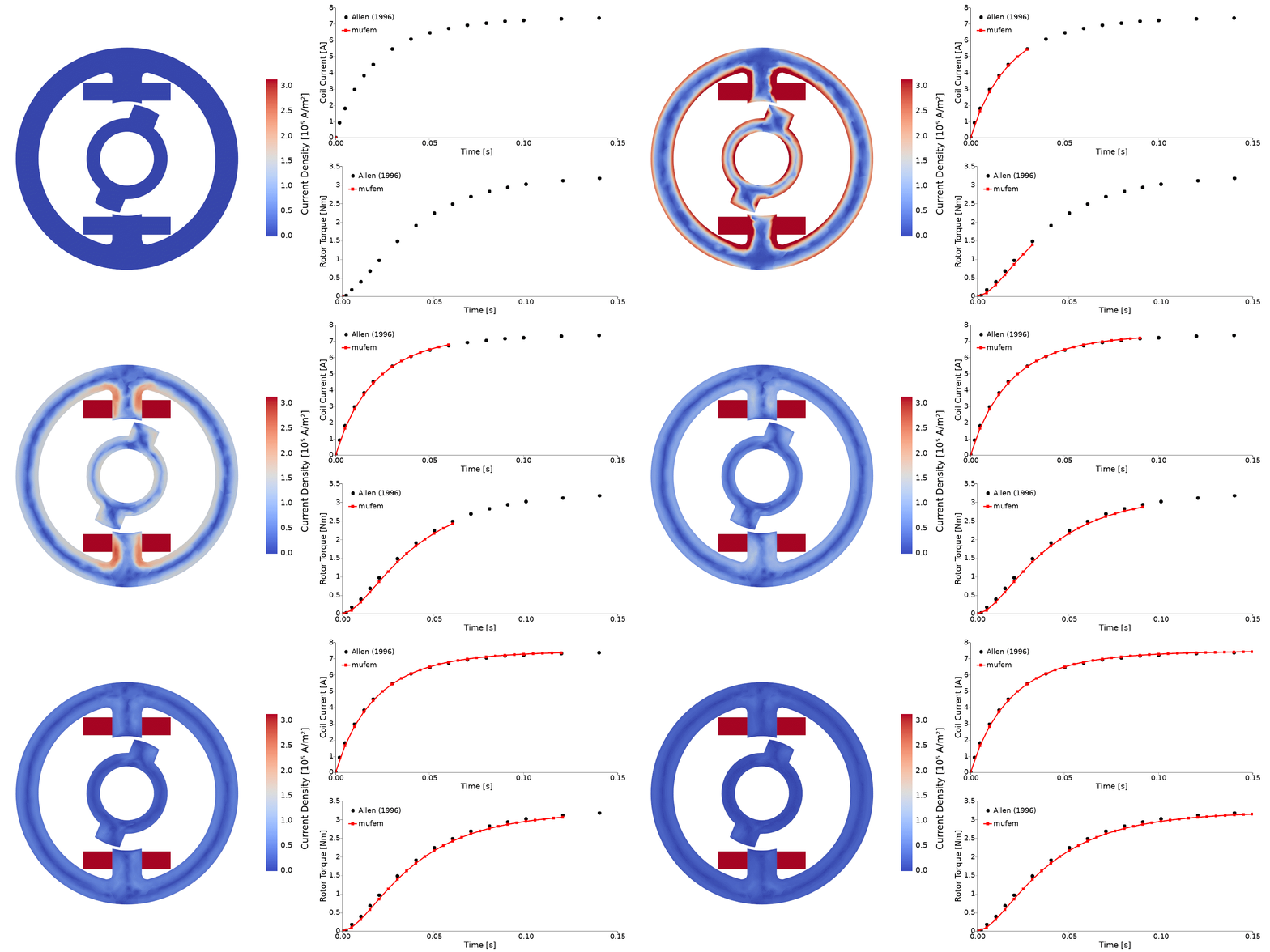 |
Locked rotor (TEAM 24) Study the transient rotor torque and coil currents of a rotating machine using the Time-Domain Magnetic model coupled to an Excitation Coil. |
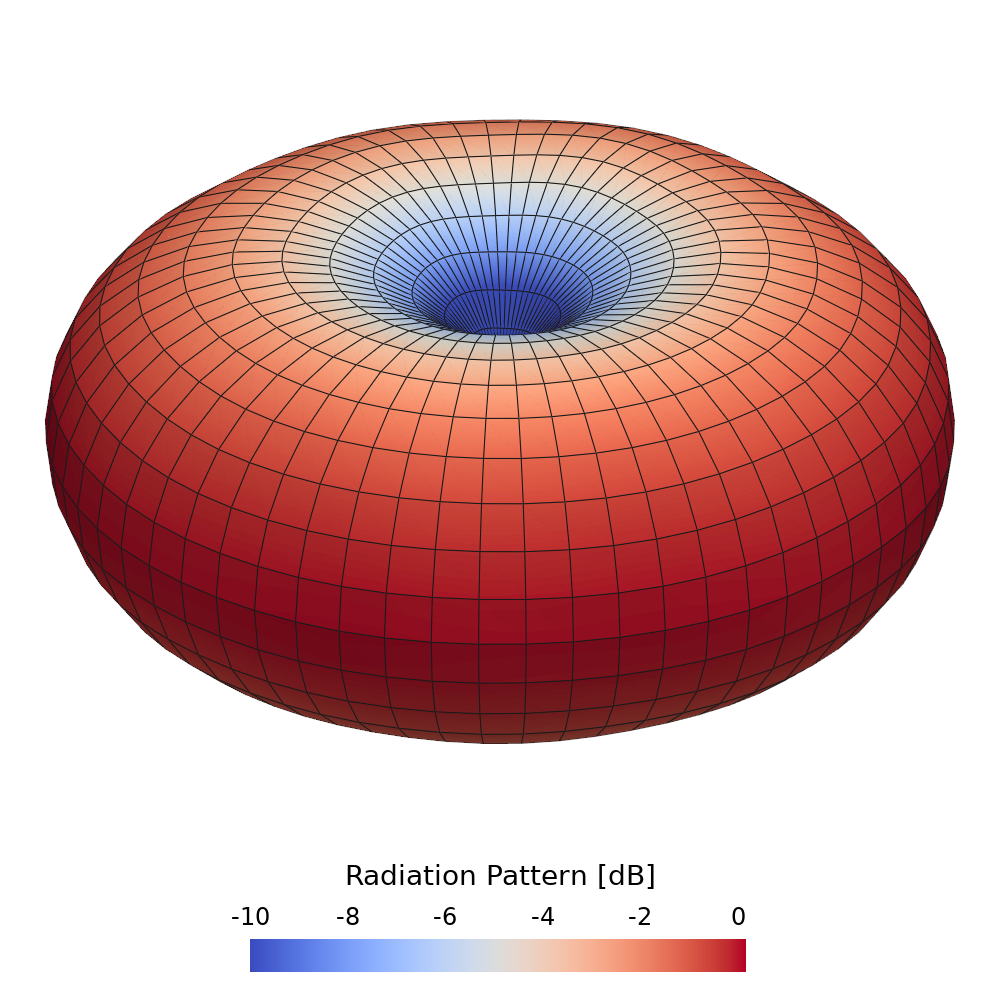 |
Dipole antenna (Stutzman 2012) Compute the full-wave radiation pattern and far-field of a dipole antenna using the Time-Harmonic Maxwell model. |
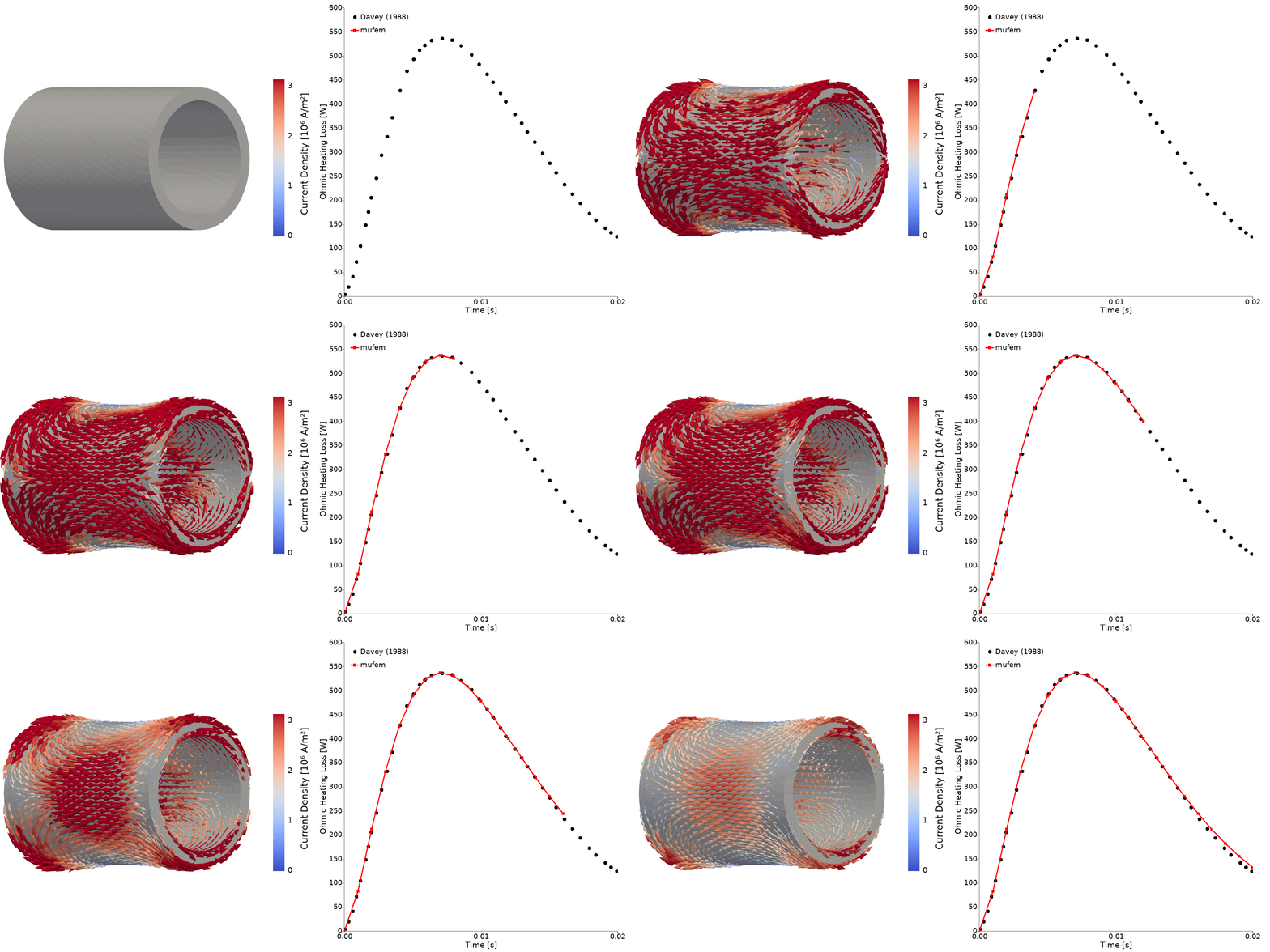 |
FELIX cylinder (TEAM 1b) Resolve induced eddy-current density and Ohmic losses in a conducting cylinder using the Time-Domain Magnetic model. |
Models
mufem provides finite-element models across several physics domains, composable for coupled multi-physics:
- Electrostatics: electric fields, capacitances, and electrostatic forces in conductors and dielectrics.
- Time-Domain Magnetic (magnetostatics, transient eddy currents): low-frequency magnetic fields, including nonlinear materials, permanent magnets, and superconductors.
- Time-Harmonic Magnetic (AC magnetics): eddy currents and skin and proximity effects at a single frequency.
- Time-Harmonic Maxwell (full-wave): high-frequency electromagnetics, waveguides, and antennas.
- Solid Temperature (thermal): steady and transient heat conduction.
- Solid Mechanics (structural): linear elasticity.
See the documentation for the full model list and details.
Getting Started
First create and activate a virtual environment:
python -m venv mufem-venv
source mufem-venv/bin/activate
Then install the latest release from PyPI:
pip install mufem
See the Installation guide for platform-specific instructions, and the mufem documentation for tutorials and API reference. For a complete, runnable case, including mesh generation and a comparison with an analytical solution, see the electrostatics tutorial.
Validations
This repository collects validation cases for mufem, each comparing its results with published, measured, or analytical reference values.
Browse all validation cases here.
TEAM 24: eddy currents in a locked rotor after a voltage step (left), and the coil current and the rotor torque over time compared with measurements (right).
Tested Platforms

| Python 3.12 | Python 3.13 | Python 3.14 | Python 3.15 | |
|---|---|---|---|---|
| Linux x86-64 |   |
 |
 |
 |
| Windows x86-64 |  |
 |
 |
 |
| macOS arm64 |  |
 |
 |
 |
| Linux distros¹ |  |
- validations: all validation cases on Linux; the moderate tier on macOS and Windows (without the
long,eternalandmumpscases). - smoke: a single case (TEAM 1b), confirming that the release installs and runs.
- e2e: weekly; all validation cases with every geometry, mesh and scene regenerated from scratch.
¹ Ubuntu 26.04, Debian 13, Fedora 43, AlmaLinux 10, openSUSE Tumbleweed and Arch Linux. Linux requires glibc ≥ 2.39; Ubuntu 22.04, Debian 12, RHEL 8/9 and SLES 15 are not yet supported.